


A desk is a desk. A chair is a chair. If they get scratched during an office move, you buy replacements by the end of the week. But the server rack sitting in your back closet, the networking switches connecting forty workstations, and the NAS device holding six years of client files — those aren't furniture. They're the nervous system of your business, and a moving crew that handles them like furniture can shut your company down for days or weeks while you recover data, replace hardware, and rebuild configurations that took your IT team months to set up.
At SOS Moving, I've led commercial relocations for offices ranging from ten-person startups to 200-seat operations across Los Angeles. The IT equipment portion of every office move is where the stakes are highest and the margin for error is smallest. A dropped monitor costs $400. A damaged server with corrupted drives costs $10,000 to $50,000 in recovery, replacement, and lost productivity. This guide covers how professional commercial movers handle IT equipment — and what you need to do before, during, and after the move to keep your technology running.
Inventory and Documentation Before the Move
The most important IT work happens before anyone touches a cable: every server, switch, router, UPS, workstation and printer catalogued with its location, function and connection map, and every cable run photographed before it comes apart. Building that inventory, the labelling scheme and the backup schedule are laid out step by step in the IT equipment relocation checklist — this guide picks up where the hardware starts moving.
How Professional Movers Handle IT Equipment
IT equipment requires handling techniques that differ fundamentally from standard office furniture. The sensitivity of hard drives to shock, the fragility of rack-mounted components, and the value density of networking equipment all demand specialized protocols.
Hard drives are the most vulnerable component in any IT move. Traditional spinning drives (HDDs) contain platters rotating at 7,200 to 15,000 RPM. A jolt during operation can cause the read/write heads to contact the platter surface, destroying data permanently. Even powered-down drives are sensitive to sharp impacts. The protocol is straightforward: power down servers and workstations at least thirty minutes before moving to ensure drives are fully parked. Transport hard drive-containing equipment upright whenever possible, with padding that absorbs vibration rather than just impact.
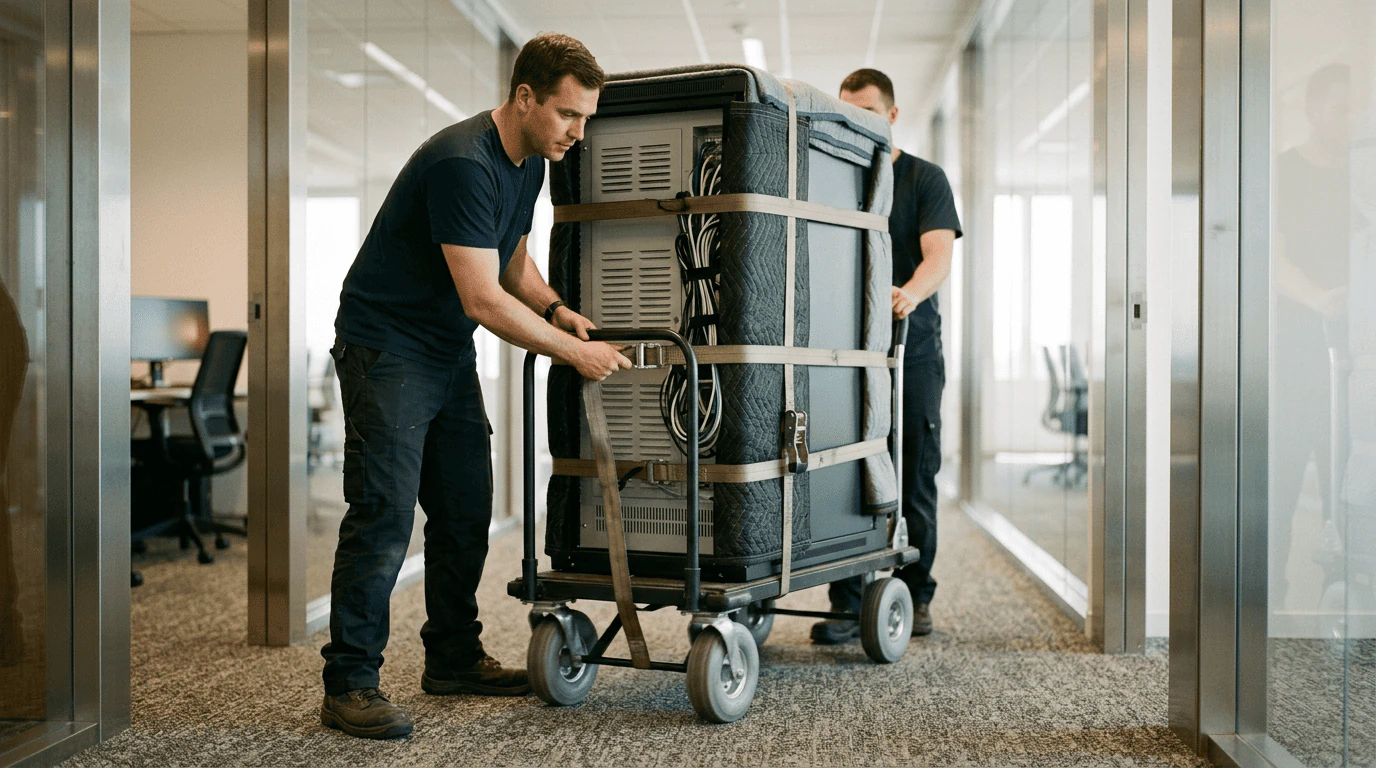
Server racks present unique handling challenges. A full 42U rack can weigh 800 to 2,000 pounds loaded. At SOS Moving, we use specialized server dollies with pneumatic wheels that absorb floor vibrations during transport. Racks move upright — never tilted or laid on their sides. Each component inside the rack should be secured with cage nuts and screws tightened before the move. Loose rack-mounted equipment shifts during transport and damages both the component and the rack rails.
Monitors and displays travel face-to-face with foam sheeting between screens. Never stack monitors flat — the weight of one monitor on another cracks LCD panels. Original packaging is ideal for transport, but most offices discard monitor boxes after setup. Without original boxes, professional movers wrap each monitor in moving blankets with rigid cardboard corner protectors, then secure them upright in the truck with straps to prevent shifting.
Cable management during the move is as important as the equipment itself. Bundles of disconnected cables become tangled rats' nests within minutes if not managed. Label every cable at both ends before disconnecting, coil each one separately with velcro ties, and bag cables by system or workspace. A labeled gallon ziplock bag with all cables from Workstation 7 is reassembled in five minutes. An unlabeled pile of fifty identical-looking Ethernet cables takes an hour to sort.
Timing the IT Move to Minimize Downtime
Downtime is the hidden cost of every office move, and IT equipment drives the timeline for when your business is operational again. A desk can wait a day — email cannot.
The standard approach for minimizing downtime is a weekend office relocation. Friday afternoon, the IT team begins powering down systems and disconnecting equipment. Friday evening and Saturday, the moving crew transports everything to the new location. Saturday afternoon and Sunday, the IT team reconnects and tests systems. Monday morning, the office is operational at the new address. Total downtime: one business day (Friday afternoon) if everything goes according to plan.
For businesses that can't afford any downtime — medical practices, financial services, operations with 24/7 client obligations — a phased move is the alternative. Critical IT systems move first and are operational at the new location before non-critical equipment and furniture follow. This requires duplicate infrastructure during the transition period — internet service active at both locations, temporary workstations at the new office while the old office is still being packed — but it keeps the business running continuously.
The worst timing strategy is moving IT equipment during the same session as furniture and general office contents. A truck loaded with desks, chairs, and file cabinets creates a chaotic environment where delicate IT equipment gets bumped, stacked under heavy items, or left sitting on the truck in heat while the crew unloads furniture first. IT equipment should travel separately — either on a dedicated truck or as the first items loaded and last items unloaded.
Power and Connectivity at the New Location
The new office needs to be IT-ready before the equipment arrives. Discovering on moving day that your server room has two electrical outlets when you need twelve creates a delay that can't be fixed with moving blankets and good intentions.
Verify that the new building's electrical capacity supports your IT load. Servers, UPS units, and networking equipment draw significant power — a single server rack can require a dedicated 20-amp circuit. If your new office is in an older LA building, the electrical panel may need upgrades before your equipment can safely operate. Have an electrician evaluate the space at least two weeks before the move.
Internet connectivity needs to be active and tested before the moving truck arrives. ISP installations in Los Angeles commercial spaces take two to four weeks from order to activation. If you're switching providers, overlap the service at both locations so you can test the new connection before cutting the old one. A new office with all equipment perfectly placed and zero internet connectivity is a very expensive empty room.
Server room or closet conditions matter for equipment longevity. Temperature should be maintained between 64 and 75 degrees Fahrenheit with humidity between 40 and 60 percent. A server closet without adequate cooling in a Los Angeles building that hits 90 degrees on a summer afternoon will overheat equipment within hours. Confirm HVAC capacity and consider supplemental cooling if the dedicated space is small or poorly ventilated.
Cable runs between the server location and workstation areas should be planned and — ideally — installed before moving day. Running cables after furniture is placed means crawling under desks, drilling through walls that already have artwork hanging, and working around employees who are trying to get back to business. Pre-installed cable drops at each workstation position make reconnection fast and clean.

Planning an office move with sensitive IT equipment? SOS Moving's commercial crews use server dollies, anti-vibration padding, and IT-specific handling protocols that protect your technology investment. Call 909-443-0004 or get your free estimate to coordinate your office relocation.
What Can Go Wrong and How to Prevent It
Understanding the most common IT moving failures helps you prevent them. Every scenario below has happened on real office moves in Los Angeles — most of them more than once.
Data loss from hard drive impact is the most expensive failure. Prevention: full backups verified before disconnecting, drives transported in padded anti-static containers, servers moved upright on vibration-dampening dollies.
Network configuration loss happens when switches and routers are factory-reset during power cycling or when configuration files are stored only on the device being moved. Prevention: export all configurations to external media, document every setting manually as backup, and test backups before the move.
Cable reconnection errors are the most common post-move IT issue. A network cable plugged into the wrong switch port can create a loop that takes down the entire network. Prevention: label every cable at both ends, photograph every connection, and have your IT person — not the moving crew — handle reconnection.
Electrical damage from power surges at the new location can fry equipment on the first plug-in. Older LA buildings with inconsistent power delivery are particularly risky. Prevention: use UPS units with surge protection on every piece of critical equipment, and have an electrician verify outlet grounding and voltage stability before connecting servers.
Static electricity damage during handling is invisible until the equipment fails days or weeks later. Prevention: anti-static wrist straps during disconnection and reconnection, anti-static bags for loose components like RAM and expansion cards, and humidity-controlled transport conditions.
Choosing a Commercial Mover for IT Equipment
Not every commercial moving company handles IT equipment competently. The questions you ask during the quoting process reveal whether a company understands the stakes.
Ask about their server and rack moving equipment. Companies with experience own specialized server dollies, anti-vibration pads, and rack stabilization hardware. Companies without experience will tell you they'll "be careful" — which is not a protocol.
Ask about their insurance coverage for IT equipment. Standard cargo coverage values items by weight — which means your $15,000 server weighing 60 pounds would be valued at $36 under released value protection. Full value protection or a technology-specific rider is essential for IT moves. At SOS Moving, we discuss coverage options for every commercial job that includes high-value equipment.
Ask for references from previous office moves that included server or networking equipment. A company that has handled IT relocations can provide references and describe their specific protocols. A company that hasn't will speak in generalities.
Ask who handles disconnection and reconnection. At SOS Moving, our crews handle the physical transport — wrapping, carrying, loading, and delivering equipment. We recommend that your own IT team or a contracted IT professional handles the disconnection and reconnection, because the configuration knowledge required is specific to your systems. A moving company that claims they'll handle the full IT setup without understanding your network topology is overcommitting.
Frequently Asked Questions
How long does an IT-focused office move take? A ten-person office with a single server rack, a network switch, and ten workstations typically requires four to six hours for physical transport plus four to eight hours for IT reconnection and testing. Larger offices with complex infrastructure take two to three days.
Should I hire separate IT movers or use my regular moving company? For small offices with standard workstations and a simple network, a professional commercial mover with IT experience handles everything competently. For offices with multiple server racks, complex networking, or mission-critical systems, consider a dedicated IT relocation specialist for the technology while your regular mover handles furniture.
Can I move servers in a regular moving truck? Yes, with proper equipment. Servers need to travel upright on vibration-dampening dollies, secured with straps to prevent movement. The truck should have climate control or at minimum the move should avoid peak heat hours. Never lay a server on its side or stack items on top of server equipment.
How far in advance should I plan an IT office move? Start planning eight to twelve weeks ahead. This allows time for ISP installation at the new location, electrical verification, cable infrastructure planning, and coordination between your IT team, the moving company, and building management at both locations.
What should be backed up before an office move? Everything. Full server images, all workstation data, email archives, database exports, network configurations, firewall rules, and any custom application settings. Verify backups are complete and restorable before powering down any equipment. Store backup copies offsite — not on the moving truck.
Get Started with Your Office IT Relocation
SOS Moving's crews are the commercial movers Los Angeles businesses trust with IT equipment, handling it with the specialized care your business technology demands. Server dollies, anti-vibration transport, dedicated truck space for sensitive equipment, and coordination with your IT team ensure your office is operational at the new location as fast as possible. Call 909-443-0004 or request your free estimate to start planning your office move with a company that understands what's at stake.